
2026-10-14 · 4 min read
Commercial Bank International (CBI) Cheque Printing
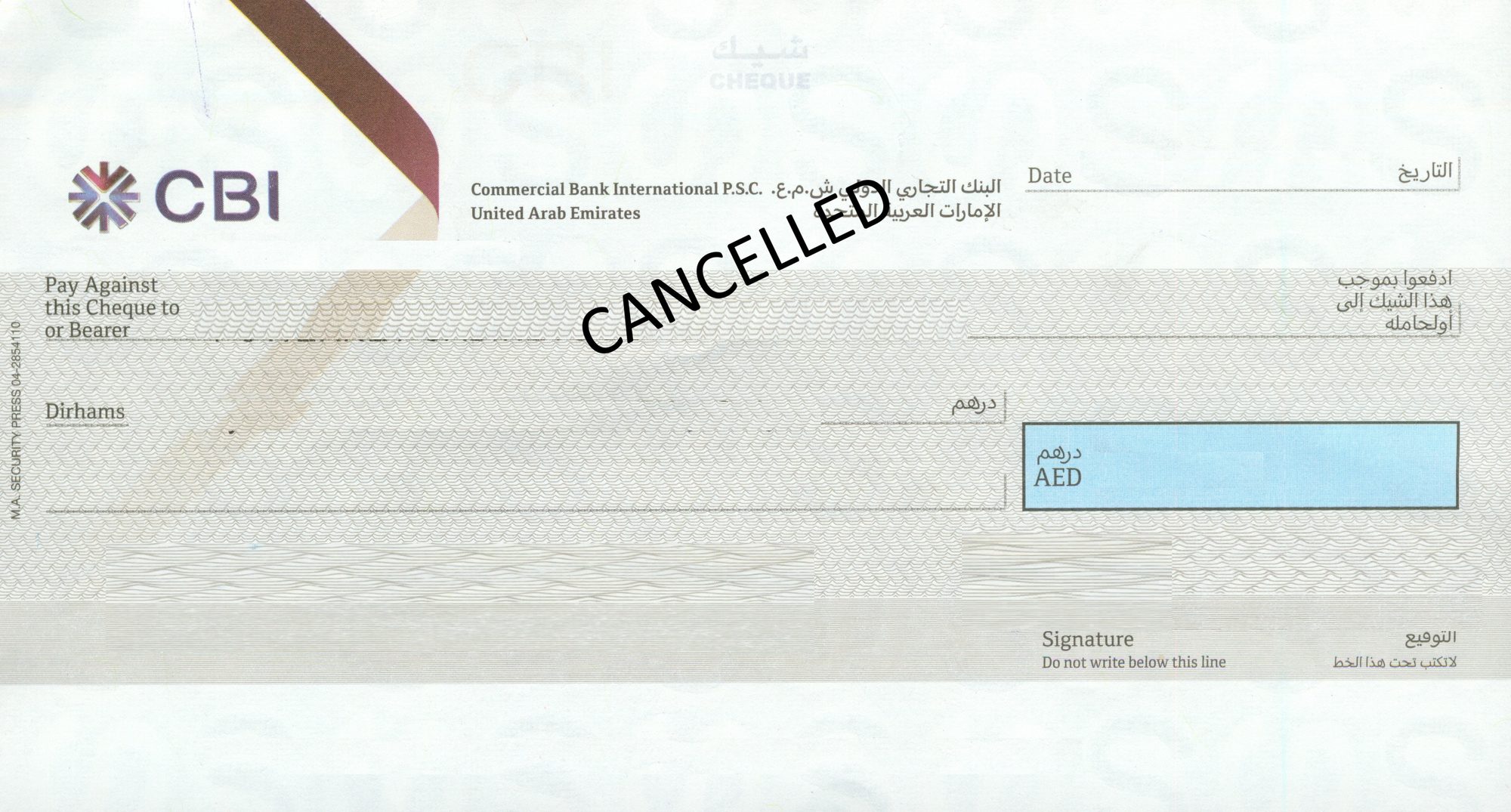
The CBI cheque is the odd shape in our library: nearly as tall as a wide cheque, but twenty-five millimetres narrower.
Tall for its width
| Cheque book | Code in the software | Measured size | What to watch |
|---|---|---|---|
| COMMERCIAL BANK INTERNATIONAL (CBI) | CBI-001 | 178 × 97 mm | Height of a wide cheque, width of a mid-format one. |
Put a CBI leaf next to an Emirates Islamic one and you see it: both are about 97 to 99 mm tall, but the CBI cheque is 178 mm wide against 206 mm. The ruled lines are therefore shorter and stacked with more space between them than on a wide cheque.
The practical consequence is vertical, not horizontal. Field positions borrowed from a wide cheque land roughly right across the page and wrong down it, which is the error that makes people think the software is broken when it is simply set to the wrong bank.
CBI is not CBD
Commercial Bank International is CBI. Commercial Bank of Dubai is CBD. Two banks, two stationeries, abbreviations one letter apart — and the most common wrong selection we see on either. Read the full bank name printed on your cheque before you choose. More on the distinction in the CBD guide.
Printing on a CBI cheque
Four text fields: date, payee, amount in words, amount in figures. The software only prints the text fields onto the cheque CBI issued you — nothing is reproduced, and the magnetic band is the bank's own. A plain laser printer taking one leaf from the manual tray is all the hardware involved.
Because the words rule is shorter on a 178 mm leaf, long figures wrap to the second line sooner than on a wide cheque. The second line position is part of the stored layout, so it stays clear of the signature. Check any figure's wording with the AED to words converter before you print.
Questions we get asked
My CBI cheque prints too low. What is wrong?
Usually a wide-cheque layout selected by mistake. A CBI leaf is 178 x 97 mm; a wide leaf is around 203 to 206 mm. Select CBI - CBI-001 and run a test on a photocopy.
Is CBI the same bank as Commercial Bank of Dubai?
No. They are separate banks. CBI is Commercial Bank International and is measured and published at 178 x 97 mm. CBD is Commercial Bank of Dubai and is not yet in the published library.
How do I confirm I picked the right CBI layout?
Compare your leaf against the CBI card in the cheque library. The code on the card is the name to choose in the software. If the printed layout on your cheque differs from the image, send a flat scan and we measure your version.
Check your cheque against the library first
Open the UAE bank cheque library, find the code printed on your cheque, and pick the same name in the software. If your book is not there yet, send us a scan through a ticket and we measure it.
Download the Windows trialSet up CBI cheque printing today
AED 950 all-in — hardware, software, installation, training
💬 WhatsApp Us Now