
2026-10-14 · 4 min read
WIO Bank Cheque Printing — A 157 Millimetre Cheque
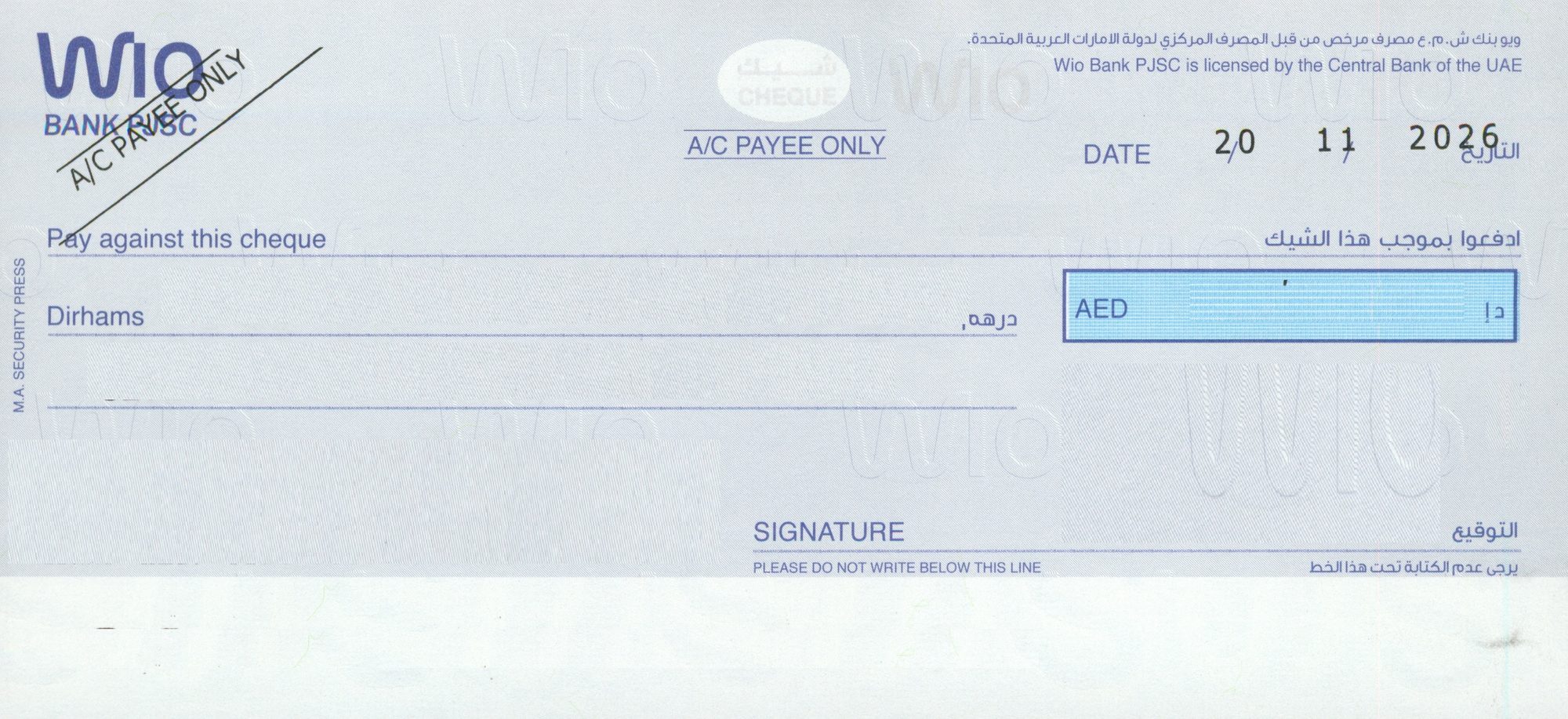
WIO is a digital bank, and its cheque book is the smallest we have measured anywhere in the UAE. That causes more trouble than its newness does.
The two WIO books
| Cheque book | Code in the software | Measured size | What to watch |
|---|---|---|---|
| WIO BANK | WIO-001 | 156 × 73 mm | Smallest leaf in the library. |
| WIO BANK | WIO-002 | 157 × 73 mm | One millimetre wider. Check the code on your book. |
Seventy-three millimetres tall is the number that matters. A WIO leaf is about three-quarters the height of a wide UAE cheque, so the four ruled lines sit close together. There is very little vertical slack: a two-millimetre drift that nobody would notice on a 99 mm cheque puts the amount in words on top of the rule here.
Why short cheques defeat most setups
Cheque printing tools are generally built around the wide UAE leaf, because that is what most banks issue. Hand them a 157 × 73 mm cheque and two things go wrong at once. The printer centres the text as though it were on a bigger page, and the tray pulls the short sheet in at an angle because the guides are still set wide.
- Set a custom paper size of 157 × 73 mm. Do not leave it on A4.
- Feed from the manual or multipurpose tray, never the main cassette.
- Close the side guides until they touch the leaf without bending it.
- One leaf at a time. Short, stiff stock is what double-feeds.
- Test on a photocopy cut to the same size, not on a real cheque.
Once the custom size and the guides are right, a WIO cheque prints as reliably as any other. It is the first setup that takes the care.
The four fields on a small leaf
Date, payee, amount in words, amount in figures. The software only prints the text fields onto WIO's own stationery. Because the lines are tight, the stored layout uses a smaller default text size on this cheque than on a wide one — enough to sit inside the rules cleanly while staying easy to read at a counter.
The amount in words wraps to a second line earlier here than on any other bank in the library, simply because the rule is short. That is expected behaviour, not a fault. Check the wording of a figure first with the amount to words converter.
Questions we get asked
Which WIO code do I choose, WIO-001 or WIO-002?
They differ by one millimetre in width. Match the code printed on your cheque against the WIO card in the cheque library. If you cannot find a code, measure the width of a leaf: 156 mm is WIO-001, 157 mm is WIO-002.
Can an ordinary office printer handle a 73 mm tall cheque?
Yes, provided it has a manual or multipurpose tray and you set a custom paper size. The limitation is paper handling, not print quality. Printers that only feed from a closed A4 cassette will struggle with stock this short.
Does a digital bank cheque work differently?
No. A WIO cheque is paper with a magnetic band like any other UAE cheque, and it clears the same way. The only difference that affects you is the size of the leaf.
Check your cheque against the library first
Open the UAE bank cheque library, find the code printed on your cheque, and pick the same name in the software. If your book is not there yet, send us a scan through a ticket and we measure it.
Download the Windows trialSet up Wio cheque printing today
AED 950 all-in — hardware, software, installation, training
💬 WhatsApp Us Now